CLI Progress Loader Part 1
Introduction
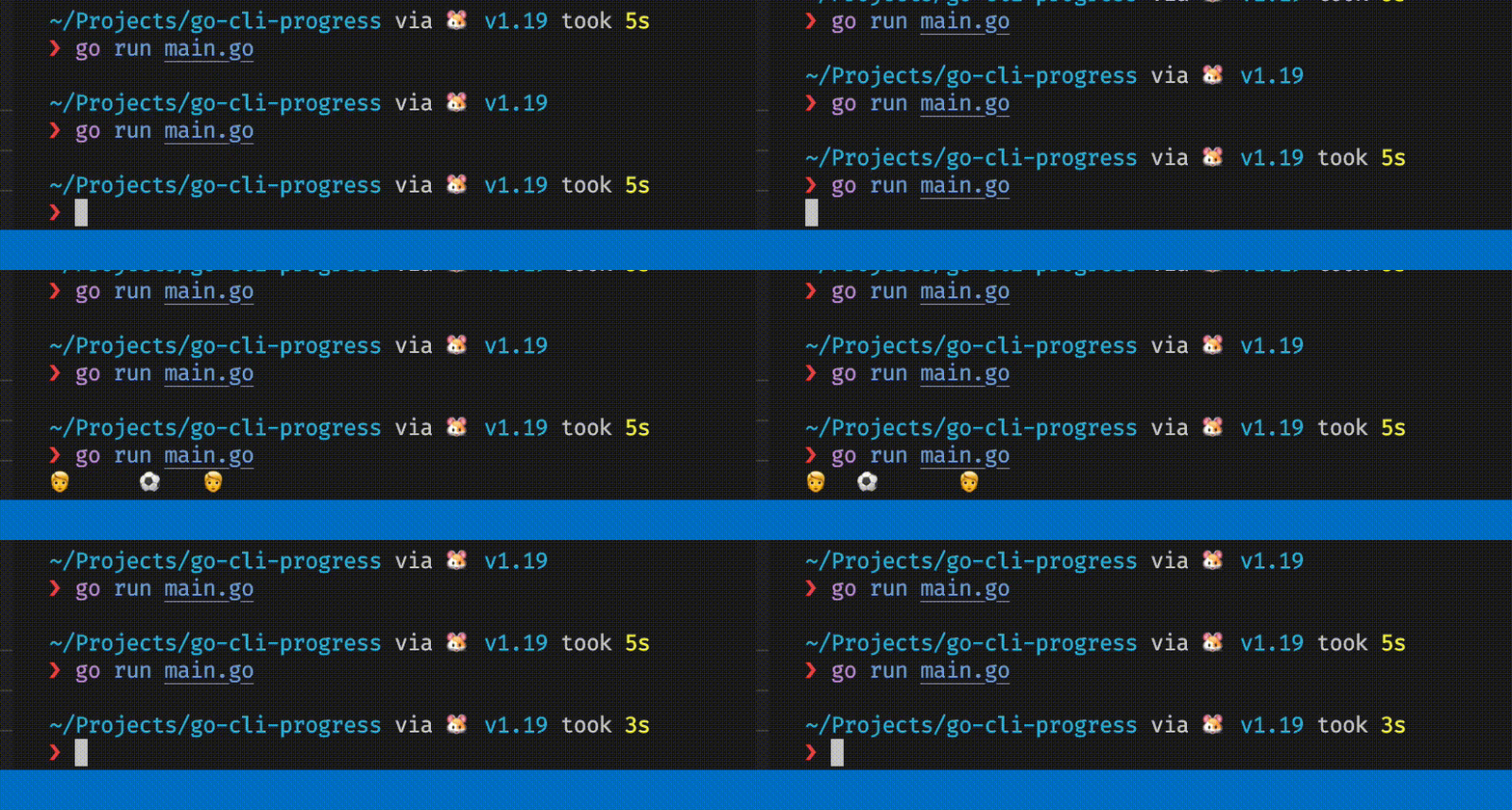
In this post, we’ll go through step-by-step on how to create this cool soccer header loading animation in the terminal. Here is a summary of things we will cover:
- Write to stdout
- Clear line in the terminal
- Hide/show the cursor
- Enable raw input mode
Write to stdout
Here is a short Go program that writes bytes to stdout. We will be using the adult emoji 🧑 in this example. We refer to the ascii table to get the hex value for the new line control character. To get the utf-8 code units for the ‘🧑’ emoji, we can use the unicode code converter tool.
package main

import (
	"os"
)

func main() {
	const LF = 0x0a
	messageOne := []byte{0x48, 0x65, 0x6c, 0x6c, 0x6f, 0x20, 0x57, 0x6f, 0x72, 0x6c, 0x64, 0x21, LF}
	messageTwo := []byte{0xF0, 0x9F, 0xA7, 0x91, LF} // utf-8 code units for 🧑
	messageThree := []byte("🧑")
	os.Stdout.Write(messageOne)   // Hello World!\\n
	os.Stdout.Write(messageTwo)   // 🧑\\n
	os.Stdout.Write(messageThree) // 🧑
}
Clear the terminal
To clear a line in the terminal, we can use the ansi escape code ESC[2K — this will clear the entire line — followed by ESC[G — this will move the cursor to the beginning of the line.
package main

import (
	"os"
)

func main() {
	const ESC = 0x1b
	const CSI = '['
	CLEAR_LINE := []byte{ESC, CSI, '2', 'K'}
	MOVE_TO_START_OF_LINE := []byte{ESC, CSI, 'G'}
	os.Stdout.WriteString("Hello world!")  // Hello World!
	os.Stdout.Write(CLEAR_LINE)            // Clear line
	os.Stdout.Write(MOVE_TO_START_OF_LINE) // Move cursor to start of line
	os.Stdout.WriteString("🧑")             // 🧑
	// You should only see the emoji 🧑 printed out
}
Soccer header animation
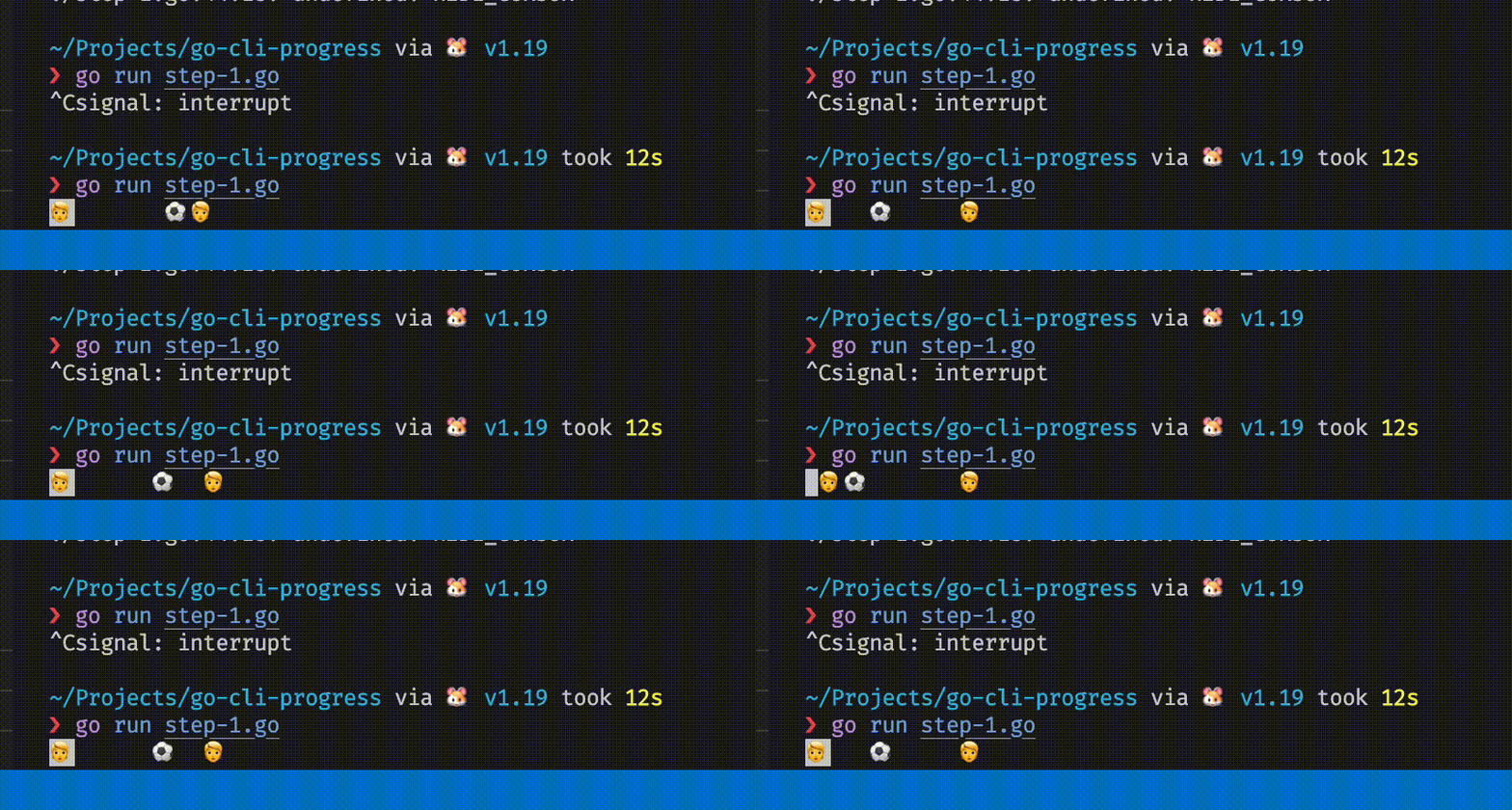
Now that we know how to clear a line in the terminal, we can use this to create a soccer header animation. We will print a frame every 100 milliseconds.
package main

import (
	"os"
	"time"
)

// https://stackoverflow.com/questions/37884361/concat-multiple-slices-in-golang
func concatCopyPreAllocate(slices [][]byte) []byte {
	var totalLen int
	for _, s := range slices {
		totalLen += len(s)
	}
	tmp := make([]byte, totalLen)
	var i int
	for _, s := range slices {
		i += copy(tmp[i:], s)
	}
	return tmp
}

func main() {
	const ESC = 0x1b
	const CSI = '['
	CLEAR_LINE := []byte{ESC, CSI, '2', 'K'}
	MOVE_TO_START_OF_LINE := []byte{ESC, CSI, 'G'}
	// https://github.com/sindresorhus/cli-spinners/blob/main/spinners.json
	LOADING_FRAMES := [][]byte{
		[]byte(" 🧑⚽️       🧑 "),
		[]byte("🧑  ⚽️      🧑 "),
		[]byte("🧑   ⚽️     🧑 "),
		[]byte("🧑    ⚽️    🧑 "),
		[]byte("🧑     ⚽️   🧑 "),
		[]byte("🧑      ⚽️  🧑 "),
		[]byte("🧑       ⚽️🧑  "),
		[]byte("🧑      ⚽️  🧑 "),
		[]byte("🧑     ⚽️   🧑 "),
		[]byte("🧑    ⚽️    🧑 "),
		[]byte("🧑   ⚽️     🧑 "),
		[]byte("🧑  ⚽️      🧑 "),
	}
	i := 0
	frames_size := len(LOADING_FRAMES)
	for {
		os.Stdout.Write(concatCopyPreAllocate([][]byte{CLEAR_LINE, LOADING_FRAMES[i], MOVE_TO_START_OF_LINE}))
		i = (i + 1) % frames_size
		time.Sleep(60 * time.Millisecond)
	}
}
Hide/show the cursor
If you look at the gif above, you can see the cursor at the start of the line. We can remove it to make it look nicer.
To hide the cursor, we can use the ansi escape code ESC[?25l and to show it again when the program ends, we can use ESC[?25h.
To decide when to show back the cursor, we can use the defer statement or listen to the interrupt signal. In the example below, we will use the interrupt signal approach.
package main

import (
	"os"
	"os/signal"
	"syscall"
	"time"
)

const (
	ESC = 0x1b
	CSI = '['
)

var (
	CLEAR_LINE            = []byte{ESC, CSI, '2', 'K'}
	MOVE_TO_START_OF_LINE = []byte{ESC, CSI, 'G'}
	HIDE_CURSOR           = []byte{ESC, CSI, '?', '2', '5', 'l'}
	SHOW_CURSOR           = []byte{ESC, CSI, '?', '2', '5', 'h'}
	// https://github.com/sindresorhus/cli-spinners/blob/main/spinners.json
	LOADING_FRAMES = [][]byte{
		[]byte(" 🧑⚽️       🧑 "),
		[]byte("🧑  ⚽️      🧑 "),
		[]byte("🧑   ⚽️     🧑 "),
		[]byte("🧑    ⚽️    🧑 "),
		[]byte("🧑     ⚽️   🧑 "),
		[]byte("🧑      ⚽️  🧑 "),
		[]byte("🧑       ⚽️🧑  "),
		[]byte("🧑      ⚽️  🧑 "),
		[]byte("🧑     ⚽️   🧑 "),
		[]byte("🧑    ⚽️    🧑 "),
		[]byte("🧑   ⚽️     🧑 "),
		[]byte("🧑  ⚽️      🧑 "),
	}
)

// https://stackoverflow.com/questions/37884361/concat-multiple-slices-in-golang
func concatCopyPreAllocate(slices [][]byte) []byte {
	var totalLen int
	for _, s := range slices {
		totalLen += len(s)
	}
	tmp := make([]byte, totalLen)
	var i int
	for _, s := range slices {
		i += copy(tmp[i:], s)
	}
	return tmp
}

func main() {
	c := make(chan os.Signal)
	signal.Notify(c, os.Interrupt, syscall.SIGTERM)
	go func() {
		<-c
		os.Stdout.Write(concatCopyPreAllocate([][]byte{CLEAR_LINE, MOVE_TO_START_OF_LINE, SHOW_CURSOR}))
		os.Exit(0)
	}()

	i := 0
	frames_size := len(LOADING_FRAMES)
	os.Stdout.Write(HIDE_CURSOR)
	for {
		os.Stdout.Write(concatCopyPreAllocate([][]byte{CLEAR_LINE, LOADING_FRAMES[i], MOVE_TO_START_OF_LINE}))
		i = (i + 1) % frames_size
		time.Sleep(60 * time.Millisecond)
	}
}
Bonus: Enabling raw input mode
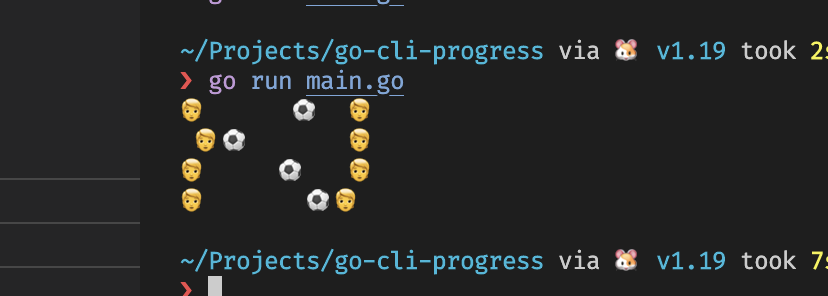
You might notice that if you were to press ‘enter’ whilst the animation is running, it may mess up the output. This is because the terminal is in cooked mode by default. To fix this, we can enable raw input mode by using the termios library. This will allow us to read the input character by character instead of line by line. Below is an example of how to do this on macos.
// go:build darwin || linux

// https://gist.github.com/EddieIvan01/4449b64fc1eb597ffc2f317cfa7cc70c
// An article describing what is being done - https://viewsourcecode.org/snaptoken/kilo/02.enteringRawMode.html
// Nodejs equivalent - https://nodejs.org/api/tty.html#readstreamsetrawmodemode

package main

import (
	"os"
	"syscall"
	"unsafe"
)

func GetTermios(fd uintptr) *syscall.Termios {
	var t syscall.Termios
	_, _, err := syscall.Syscall6(
		syscall.SYS_IOCTL,
		os.Stdin.Fd(),
		syscall.TIOCGETA,
		uintptr(unsafe.Pointer(&t)),
		0, 0, 0)

	if err != 0 {
		panic("err")
	}

	return &t
}

func SetTermios(fd uintptr, term *syscall.Termios) {
	_, _, err := syscall.Syscall6(
		syscall.SYS_IOCTL,
		os.Stdin.Fd(),
		syscall.TIOCSETA,
		uintptr(unsafe.Pointer(term)),
		0, 0, 0)
	if err != 0 {
		panic("err")
	}
}

func SetRaw(term *syscall.Termios) {
	// This attempts to replicate the behaviour documented for cfmakeraw in
	// the termios(3) manpage.
	term.Iflag &^= syscall.IGNBRK | syscall.BRKINT | syscall.PARMRK | syscall.ISTRIP | syscall.INLCR | syscall.IGNCR | syscall.ICRNL | syscall.IXON
	// newState.Oflag &^= syscall.OPOST
	term.Lflag &^= syscall.ECHO | syscall.ECHONL | syscall.ICANON | syscall.ISIG | syscall.IEXTEN
	term.Cflag &^= syscall.CSIZE | syscall.PARENB
	term.Cflag |= syscall.CS8

	term.Cc[syscall.VMIN] = 1
	term.Cc[syscall.VTIME] = 0
}

// Example usage
func main() {
	t := GetTermios(os.Stdin.Fd())

	// Was confused when I saw this at first but found out assignment creates a new copy of the struct
	// https://stackoverflow.com/questions/38443348/does-dereferencing-a-struct-return-a-new-copy-of-struct
	origin := *t
	defer func() {
		SetTermios(os.Stdin.Fd(), &origin)
	}()

	SetRaw(t)
	SetTermios(os.Stdin.Fd(), t)

	for i := 0; i < 3; i++ {
		buf := make([]byte, 1)
		syscall.Read(0, buf)
		println(buf[0])
	}
}